
Download Zoom Workplace – Unified Communication, AI-Powered Collaboration, Secure Team Chat, Virtual Meetings, Project Management, Mobile Productivity
Overview
Zoom Workplace is a mobile application designed to streamline team collaboration by consolidating essential communication and productivity tools into a single, intuitive interface. The app aims to address the fragmentation often experienced in modern work environments, where employees juggle multiple platforms for messaging, video calls, file sharing, and task management. By integrating video meetings, chat, phone calls, and project management features, Zoom Workplace offers a centralized hub that reduces context switching and enhances workflow continuity. This is particularly beneficial for remote, hybrid, and distributed teams seeking to maintain cohesion and efficiency across time zones and locations.
Target users include professionals across industries such as technology, education, healthcare, and corporate services who rely on consistent, secure, and scalable communication tools. The app’s design emphasizes seamless integration with existing workflows, enabling teams to schedule meetings, share content, assign tasks, and follow up—all within one environment. Real-world use cases range from daily stand-ups and client presentations to brainstorming sessions and cross-departmental project planning. Zoom Workplace’s AI-powered features further elevate its role in the digital workspace ecosystem by automating routine tasks such as meeting summaries and action item tracking.
Developed by Zoom Video Communications, Inc., a well-known leader in video conferencing solutions, the app builds on a foundation of reliability and enterprise-grade security. The developer did not provide additional technical details about the app’s architecture or development philosophy. However, the consistent focus on user experience and security aligns with Zoom’s broader mission of enabling meaningful connection in professional settings.
Key Features & Functionality
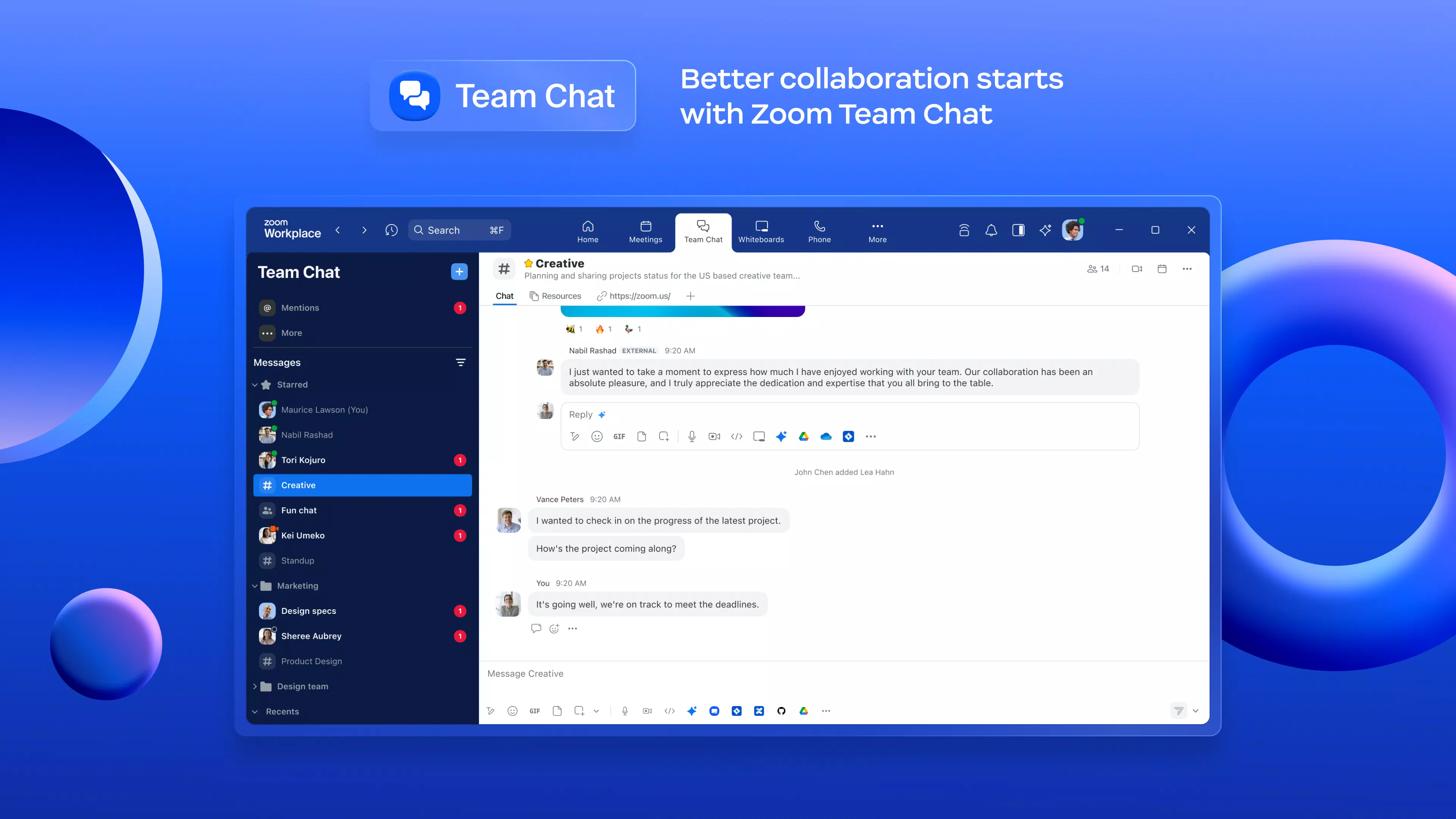
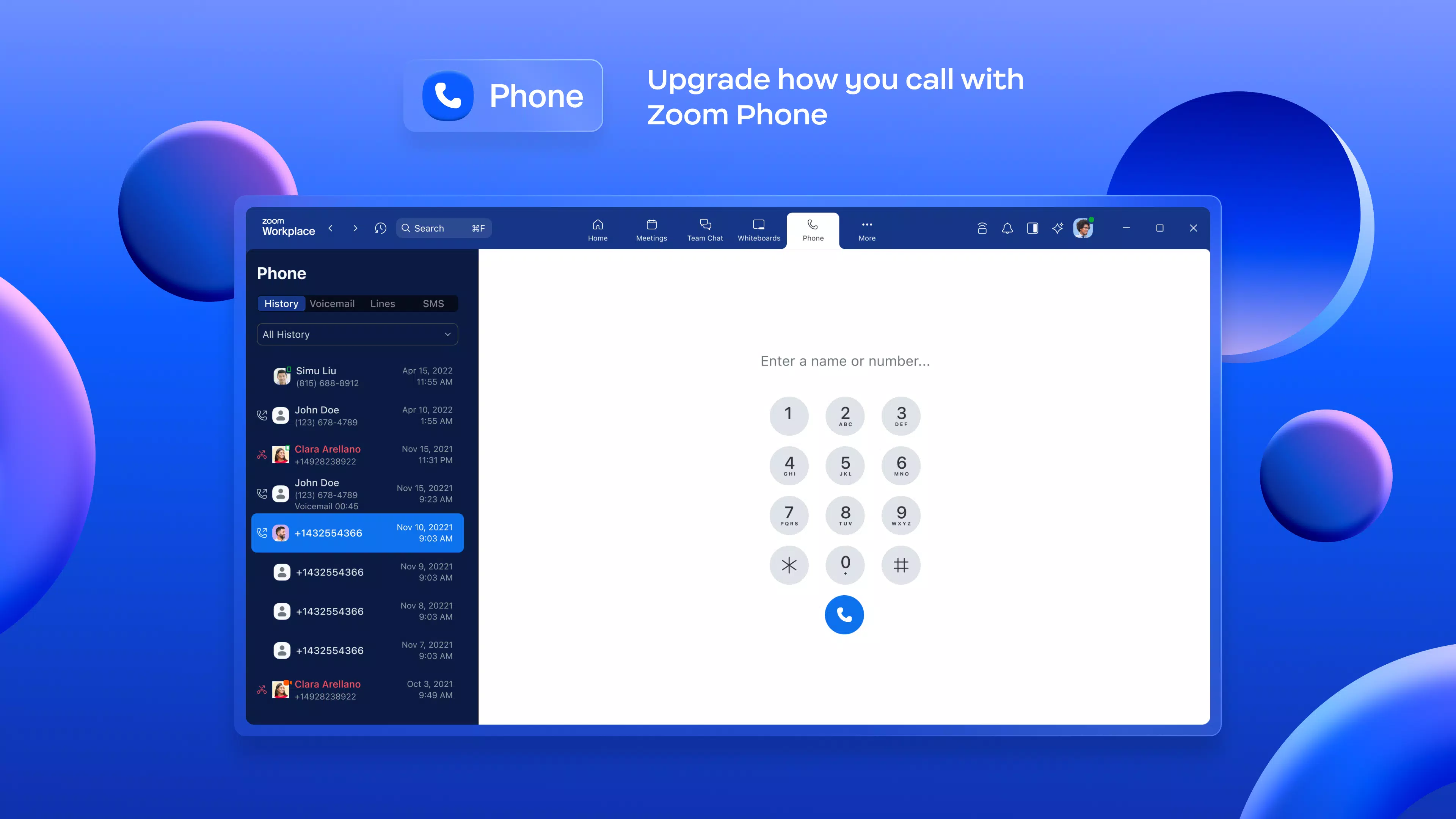
- Unified Communication Platform: Combines video meetings, real-time chat, phone calls, and email into one application, eliminating the need to switch between tools. Users can initiate or join meetings with a single tap, streamlining access and reducing setup time.
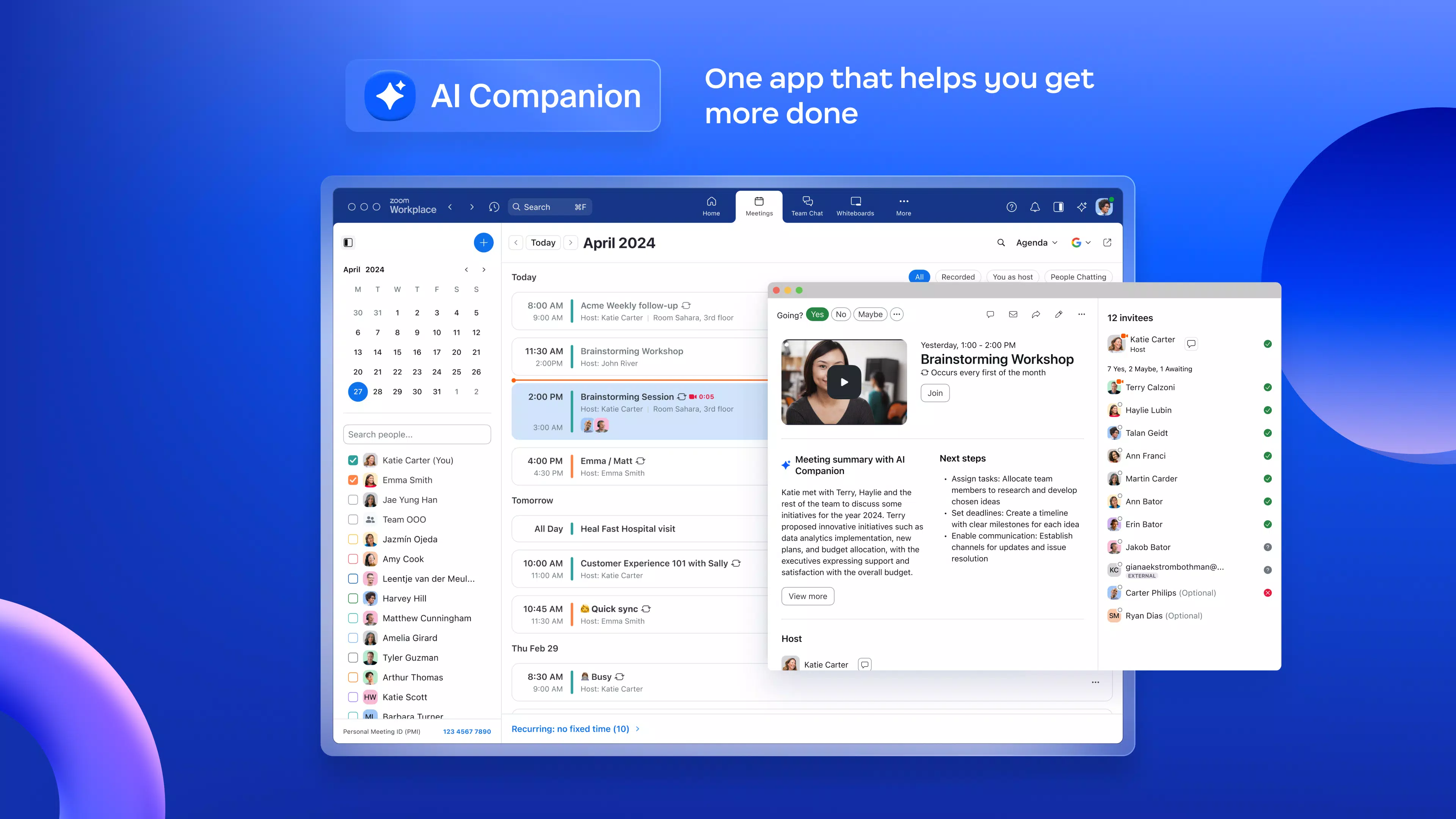
- AI-Enhanced Meeting Summaries: The AI Companion automatically generates meeting summaries, capturing key decisions, action items, and discussion points. This allows participants to focus on collaboration rather than note-taking, improving meeting efficiency and follow-through.
- Virtual Whiteboards: Supports interactive brainstorming with digital whiteboards that enable real-time annotations, drawing, and content sharing. Ideal for creative teams and planning sessions, this feature fosters engagement and idea development during virtual meetings.
- Task Delegation and Project Management: Users can assign tasks directly within meetings or chat threads, set deadlines, and track progress. This integration ensures that follow-ups are visible and actionable, promoting accountability and transparency.
- Secure Content Sharing: Enables safe sharing of documents and multimedia during meetings with built-in permissions and encryption. Files can be annotated and edited collaboratively, maintaining data integrity and access control.
These features are especially valuable in scenarios such as remote team onboarding, client pitch preparation, or interdepartmental strategy planning. For example, a marketing team can use the virtual whiteboard to sketch campaign concepts during a video call, assign design tasks via chat, and generate a summary to share with stakeholders—all without leaving the app.
Interface, UX & Performance
Zoom Workplace features a clean, modern interface with intuitive navigation designed to minimize learning curves. The layout prioritizes accessibility, placing core functions like video meetings, chat, and task management in prominent, easily reachable locations. Visual elements are consistent with Zoom’s established design language—minimalist, color-coded, and highly functional. Users can customize their dashboard to prioritize frequently used tools, enhancing personal productivity.
Navigating between chat threads, meeting schedules, and project boards is smooth and responsive. The app maintains consistent performance across various Android device categories, from mid-range smartphones to high-end flagships. Although the developer did not list formal performance metrics, the app’s lightweight design and efficient resource management contribute to stable operation during extended use. Responsiveness is maintained even during high-bandwidth activities like video conferencing and screen sharing.
Stability is a notable strength, with minimal reported crashes or freezes during routine use. The app handles background operations efficiently, allowing users to receive notifications and maintain connectivity without significant battery drain. The mobile experience is optimized for touch interactions, with gesture-based navigation and clear visual feedback. Overall, the UX is polished and professional, suitable for both casual and intensive work sessions.
Platform Compatibility & Technical Requirements
Zoom Workplace is available exclusively on the Android platform. The current version is 5.14.10.1000, with a file size of 145.8 MB. The app is free to download and install, making it accessible to a broad range of users across different organizational sizes and budgets. The developer did not specify minimum OS requirements, so compatibility with older Android versions cannot be confirmed. Similarly, specific hardware requirements were not listed.
Given the app’s focus on video conferencing and real-time collaboration, it is expected to function optimally on devices with stable internet connectivity, sufficient RAM, and a front-facing camera. However, the developer did not provide detailed information about supported screen resolutions, processor types, or memory thresholds. Users are advised to ensure their devices meet standard Android app requirements for optimal performance.
Pros and Cons
Pros
- Centralized platform for video, chat, phone, and project management
- AI-powered meeting summaries reduce post-meeting workload
- Secure, enterprise-grade encryption and single sign-on support
- Efficient task delegation and real-time collaboration tools
- Lightweight design with stable performance on Android devices
Cons
- Platform availability limited to Android only
- Specific OS and hardware requirements not disclosed
- Mobile compatibility details for low-end devices were not provided
- AI features may require stable internet for optimal performance
- No information on offline functionality or data sync capabilities
FAQ
Is Zoom Workplace available for iOS devices?
As of the latest release, Zoom Workplace is only available on the Android platform. The developer did not provide information on future iOS availability.
How secure is Zoom Workplace?
Zoom Workplace includes enterprise-grade security features such as end-to-end encryption, single sign-on, and role-based access controls. These measures help protect sensitive team communications and data.
Can I use Zoom Workplace without a subscription?
Yes, the app is currently free to download and use. However, certain advanced features may require a paid plan or organizational license, though specific details were not disclosed.
Does Zoom Workplace support offline mode?
The developer did not provide information about offline functionality. All features appear to require an active internet connection.
How often is Zoom Workplace updated?
Updates are released periodically to improve performance, add features, and enhance security. The latest version is 5.14.10.1000, released on February 14, 2024.
Final Thoughts
Zoom Workplace stands out as a powerful, all-in-one solution for teams seeking to enhance collaboration through unified communication and intelligent automation. Its integration of video meetings, AI-driven summaries, secure chat, and project management tools creates a cohesive digital workspace that supports modern work demands. The app is especially valuable for organizations aiming to reduce tool sprawl and improve meeting productivity without compromising on security or usability.
While its exclusive Android availability may limit reach for some users, the app’s performance, intuitive design, and feature-rich environment make it a strong contender in the mobile productivity space. For professionals who prioritize seamless connectivity, real-time collaboration, and smart task automation, Zoom Workplace delivers tangible value.
Download Zoom Workplace now


